Integrating the wallbox with Home Assistant
The wallbox can be controlled directly from Home Assistant via Modbus TCP. The integration used is the "Heidelberg Energy Control" HACS plugin: Kontron eSystems uses the Heidelberger/Amperfied Modbus register layout under license, which is why the plugin is also compatible with the Kontron wallbox.
Enable the Modbus server on the wallbox
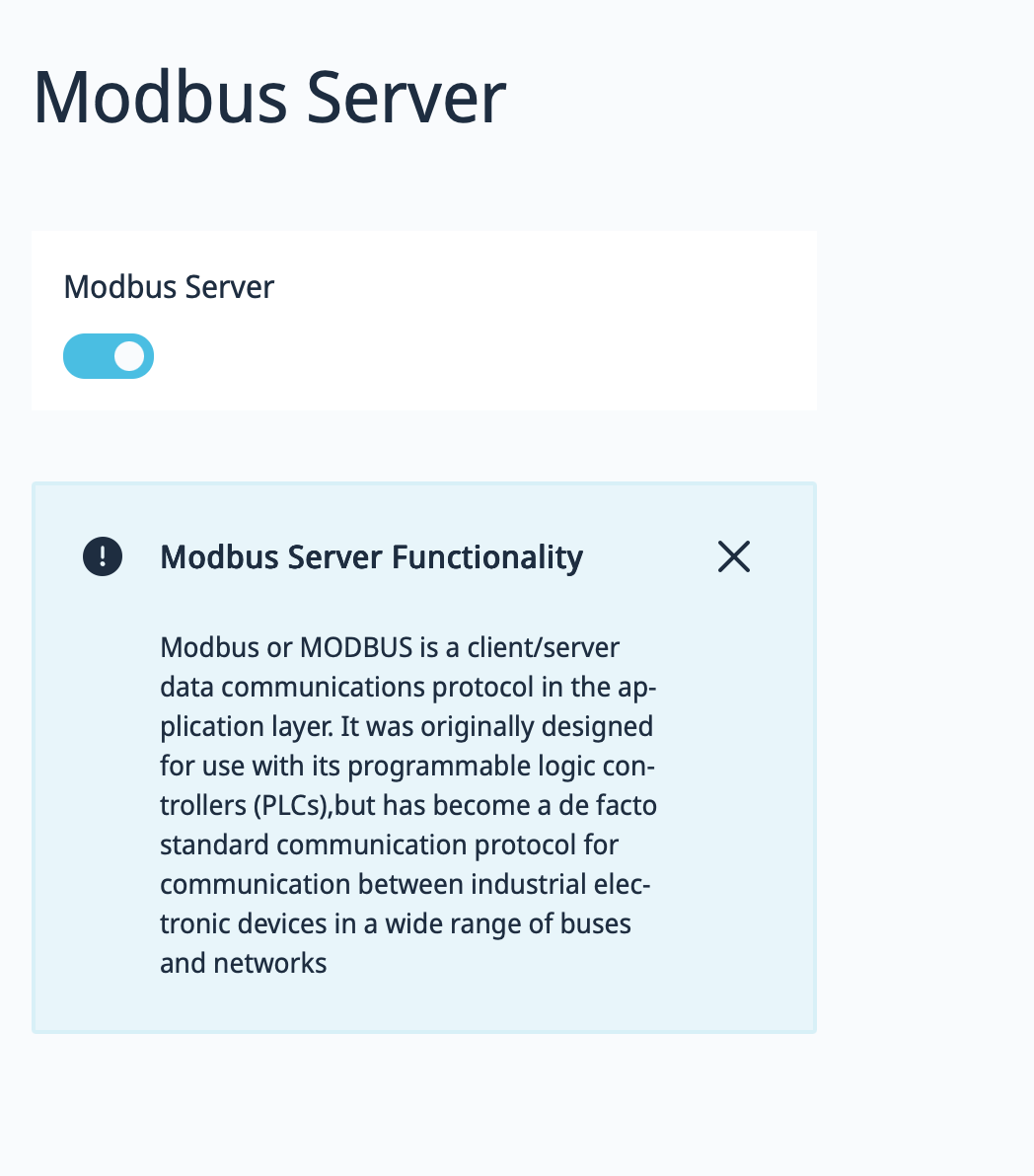
In the web interface, go to "Connections → Modbus Server" and enable the toggle. Without this being enabled, no external system — including Home Assistant — can reach the wallbox via Modbus TCP.
Install and configure the plugin
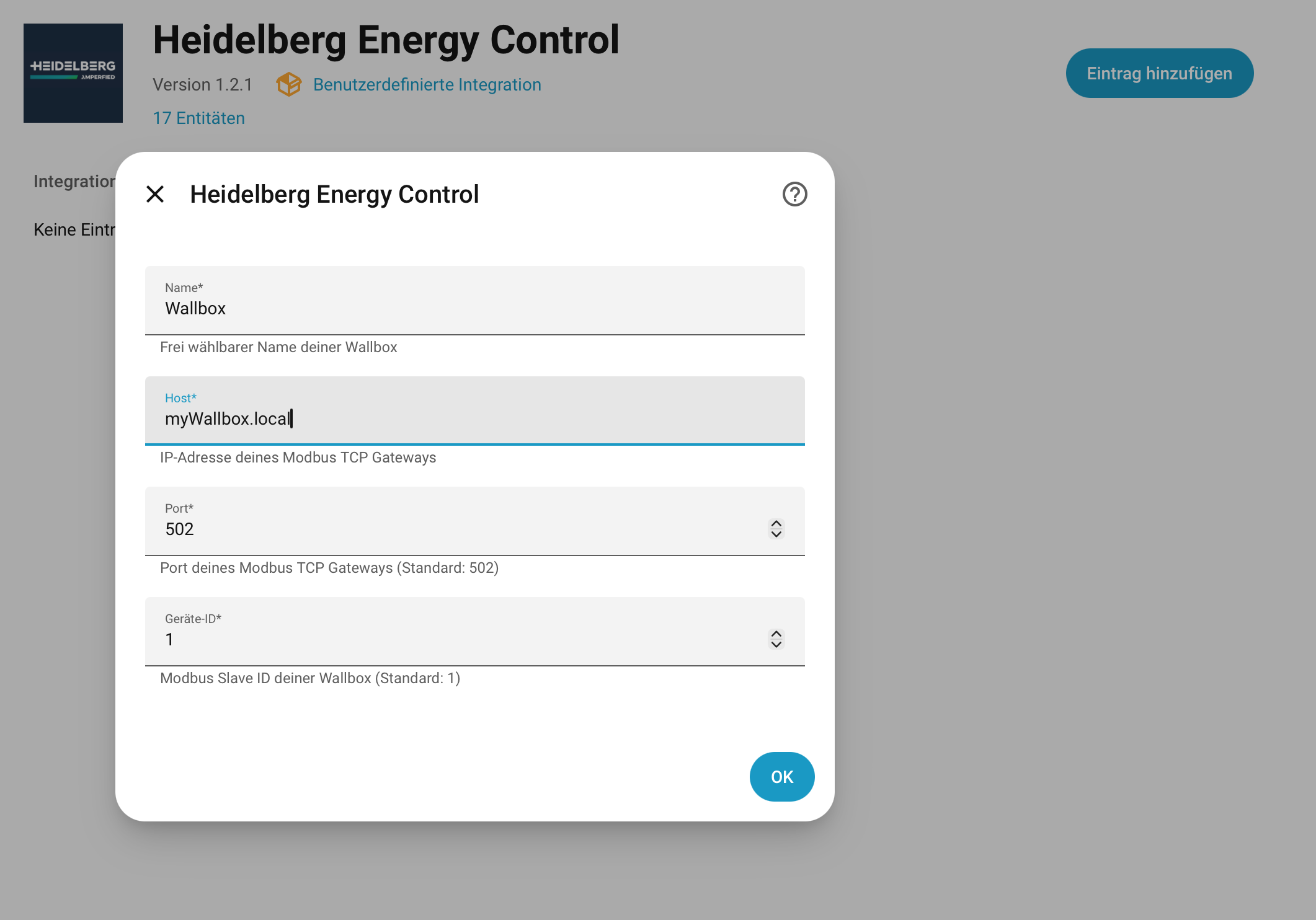
In Home Assistant, open the HACS store, search for "Heidelberg Energy Control" (repository: github.com/Schrolli91/heidelberg_energy_control) and install the plugin. Then add a new integration entry and fill in the connection details: as host, the same address you use for the web interface (e.g. `myWallbox.local` or the IP), port 502, device ID 1.
Control the wallbox from Home Assistant
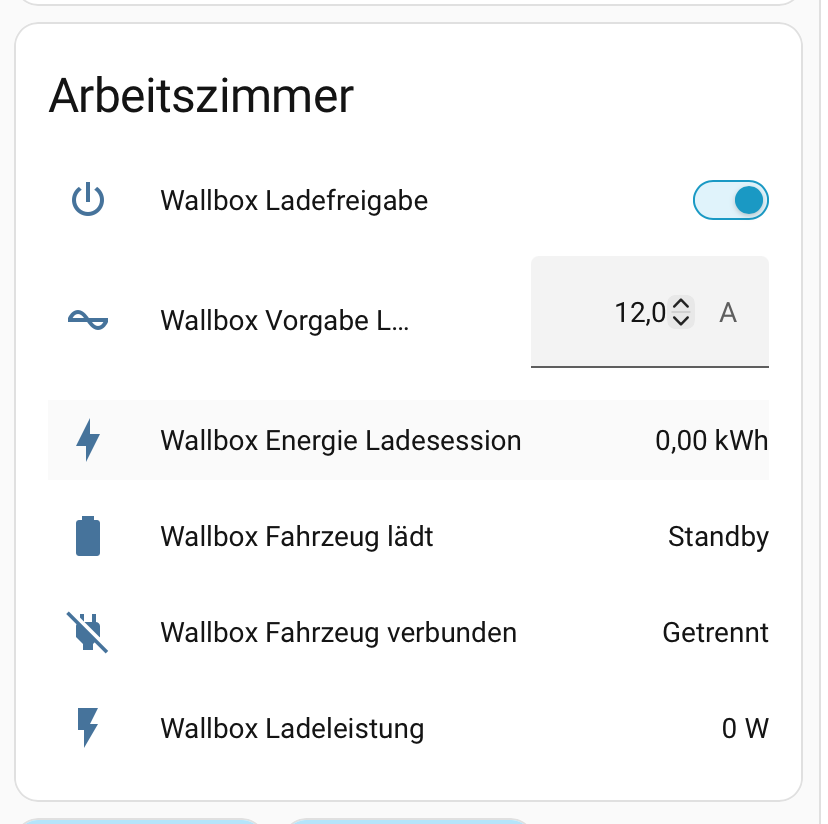
After setup, 17 entities are available in Home Assistant — among them charging enable, target charging current, energy of the current session, vehicle state (connected/charging) and current charging power. The wallbox can be used in automations, dashboards and energy views from there.