
Viewing and exporting charging statistics
The wallbox logs every charging session and makes the data available under "Charging Management → Charging Statistics". A CSV export allows per-user consumption to be processed further.
Open the charging statistics
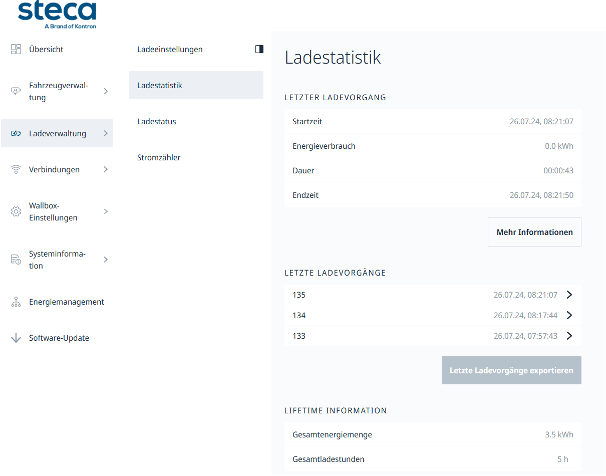
Under "Charging Management → Charging Statistics", information about the charging sessions is listed — the most recent session with start time, energy consumption, duration and end time, a list of recent sessions, and the wallbox's lifetime information.
Export charging sessions
Clicking "Export latest charges" generates a CSV file containing the consumption of each individual charging session. Every row includes, among other fields, the RFID token ID used for charging — this is the basis on which per-user billing can be performed. For free charging sessions without authorization, the "AuthorizationType" field shows "FreeCharging" instead.
