
Configuring 3/1 phase switching
The wallbox can run charging sessions either single-phase or three-phase. The switch can be set manually or handed to the automatic mode, which is driven by an external system (OCPP, EEBus or Modbus).
Set the phase mode
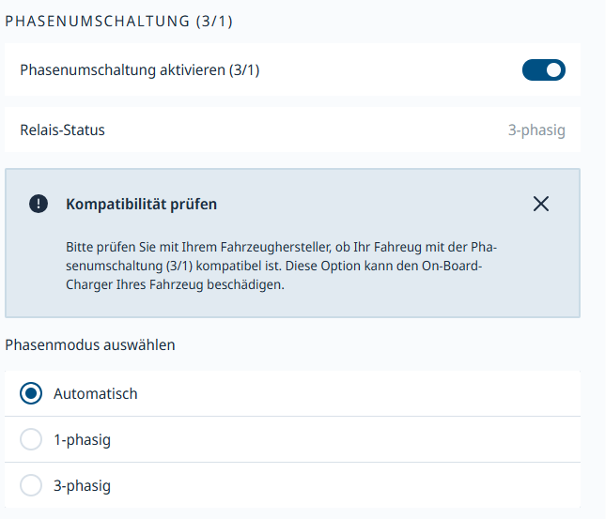
Under "Charging Management → Charging Settings", the "Phase switching (3/1)" section sits at the bottom of the page. Once enabled, three options are available: "Automatic", "Single-phase" and "Three-phase". The current relay state is shown directly above.
Manual or automatic
The manual selection ("Single-phase" or "Three-phase") locks in the phase mode used to start every charging session. In "Automatic" mode, the wallbox switches between single- and three-phase whenever an external control requests it. Important: the compatibility notice on the settings page applies — check with the vehicle manufacturer whether the vehicle supports phase switching before use, otherwise the on-board charger can be damaged.
Prerequisites for automatic mode
Automatic switching reacts solely to external current setpoints — the wallbox does not make the decision on its own. At least one of the following sources must therefore be active and controlling the wallbox: an OCPP backend, an EEBus energy management system, or a Modbus EMS. Without an active source, the mode has no effect and the wallbox keeps charging with the phase mode last used.